

¡Consigue esta oferta! Llama ahora.
Hable con un especialista en planes de protección de vehículos y obtenga $300 apagado cualquier nuevo contrato al instante.
Llamar 866-678-4172
o escanea el código a continuación

Una garantía extendida del automóvil, también llamada contrato de servicio de vehiculo, can help cover certain unexpected repair costs. Long before a breakdown occurs, though, it’s important to have key documents easily accessible to help streamline the claims process if you ever need to use your contract for a repair. What might this look like?
You can create a structured filing system using a cloud storage service like OneDrive or Google Drive, or a specialized app like Dropbox, to store items like your car owner’s manual, service and maintenance records, receipts, and the warranty contract. Read on for tips on how to organize car warranty paperwork electronically and why quick access to a paperless alternative can be worthwhile.
The first step in creating a digital warranty folder is choosing the most convenient and secure digital setup for you, helping to declutter your physical space. Aside from storing hard copies in a file box or home filing cabinet, an electronic backup makes it easier to find the paperwork you need to submit an auto repair claim.
For example, what offers the most functionality? If you have enough account storage space, you might opt to organize scans or screenshots of everything listed in a warranty documents checklist within a designated email folder or subfolder. If you prefer keeping these documents separate from your email account, you can use various cloud storage solutions like the following:
There are several important documents from your vehicle repair records checklist that you’ll want to include in your digital files. These include:
When building your digital warranty folder, decide how you want to organize your files—what makes the most sense for you? Maybe the most efficient way is to save them by name or type. Then, you can sort them into separate file folders by categories like invoices, warranty or contract documents, vehicle identification info, etc. Whatever you decide, make sure the system provides easy access to what you need.
When your car breaks down, having the right documents ready can help keep the repair process moving efficiently. To make this possible, you need to understand exactly what your contract states and what documents are needed for a warranty claim submission.
Consider what commonly causes delays and how well-organized records can help keep repairs moving:
While you can typically choose any licensed repair facility, some shops may be more familiar with the claims process than others. Working with an experienced shop can help streamline communication during a repair.
Most service contracts require authorization before repairs begin. Your repair facility will typically contact the provider after diagnosing the issue to begin the approval process.
Pre-authorization also applies to drivers with an Endurance Elite Benefits contract. Services like a tire or key fob replacement and windshield repair typically require prior authorization for reimbursement.
If your repair facility doesn’t submit a detailed estimate, the claims process may take longer to review. Missing documentation, such as maintenance records, can also impact how a claim is evaluated. Providers typically require documentation of routine maintenance, as outlined in the contract, to support a claim.
Not knowing what your auto protection plan covers can lead to unnecessary confusion and stress. Always read the entire contract thoroughly so you know exactly what it includes and what it doesn’t. Why? If you’re trying to get a part repaired that isn’t covered under your agreement, you’ll end up wasting time, and it may result in delays and out-of-pocket costs. Having your contract accessible online lets you review it on your smartphone, whenever and wherever you are.
After you receive the “all good” from your auto repair shop—i.e., your claim was approved, and work has started—you’ll want to stay on top of the process to ensure everything keeps moving forward. This can include paying a deductible to your licensed repair facility, depending on your plan. Know what the amount is and be ready to pay it so the process isn’t halted. Remember, if you have a digital copy of your contract that is easily accessible, you can review it whenever you need to.
Fixing your vehicle can take much longer if your mechanic misdiagnoses the problem or doesn’t submit enough information to support the claim. When this happens, the warranty provider and repair shop will need to communicate more effectively, which may delay the repair process. If needed, contact your coverage provider to confirm what else is required on their end to keep the repair moving.
Anytime you want to check the progress of a claim or review the terms of your extended auto warranty, you can do so on the Portal del cliente Endurance. The portal is accessible from a computer, tablet, or phone, and lets you track your claim status, review your contract, and request roadside assistance. Our equipo de servicio al cliente galardonado is also available to help answer any questions or concerns you have about your coverage or claim status at (866) 432-4443.
At Endurance, our support doesn’t stop after you buy a vehicle service contract. We’re always available to answer your questions, even after you sign up.
If you’re still shopping for vehicle protection, contact an Endurance representative at (800) 253-8203 o Solicite una cotización GRATIS to learn more about your options. You can also Consulta tu precio and plan recommendations in our online store.

Hemos recibido la información de su vehículo y nos comunicaremos con usted en breve con su cotización.
- O -
Comience a buscar un plan de cobertura ahora.


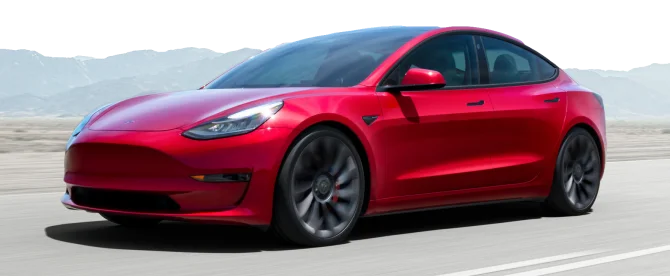
Estamos aquí para asegurarnos de que obtenga la protección EV más completa. Por eso nos hemos asociado con Xcelerate automático para ofrecerle una cobertura Tesla transparente y confiable.
¿Quiere que nos comuniquemos con usted acerca de la cobertura XCare para su Tesla?

Su protección es nuestra principal prioridad. Su cotización está en proceso y usted
recibirá un correo electrónico de confirmación en breve.

Hable con un especialista en planes de protección de vehículos y obtenga $300 de descuento en cualquier contrato nuevo al instante.
¡Llama y obtén un descuento de $300 en cualquier plan nuevo!
Al hacer clic en el botón, acepta que Endurance utilice tecnología automatizada para llamarlo, enviarle un correo electrónico y enviarle mensajes de texto utilizando la información de contacto anterior, incluido su número de teléfono móvil, si se proporciona, con respecto a la protección del automóvil o, en California, el seguro contra averías mecánicas. También acepta el Endurance política de privacidad y Términos y condiciones. El consentimiento no es una condición de compra y puede retirar el consentimiento en cualquier momento. Se pueden aplicar tarifas por mensajes y datos.
Hable con un especialista en planes de protección de vehículos y obtenga $300 apagado cualquier nuevo contrato al instante.
Llamar 866-678-4172
o escanea el código a continuación
Simplemente complete la información a continuación y le daremos seguimiento rápidamente con su cotización gratuita y sin compromiso.
Al hacer clic en el botón, acepta que Endurance utilice tecnología automatizada para llamarlo, enviarle un correo electrónico y enviarle mensajes de texto utilizando la información de contacto anterior, incluido su número de teléfono móvil, si se proporciona, con respecto a la protección del automóvil o, en California, el seguro contra averías mecánicas. También acepta el Endurance política de privacidad y Términos y condiciones. El consentimiento no es una condición de compra y puede retirar el consentimiento en cualquier momento. Se pueden aplicar tarifas por mensajes y datos.

Para hablar con un especialista en planes de protección de vehículos y obtener $300 Cancelar cualquier nuevo contrato al instante
Escanee el código a continuación


Amanda es la Gerente de Marketing de Contenido en Endurance, donde dirige el contenido editorial automotriz y supervisa Endurance Cares, el programa de donaciones comunitarias de la compañía. Con más de una década de experiencia, le apasiona compartir ideas que ayuden a los conductores a proteger lo que más les importa.